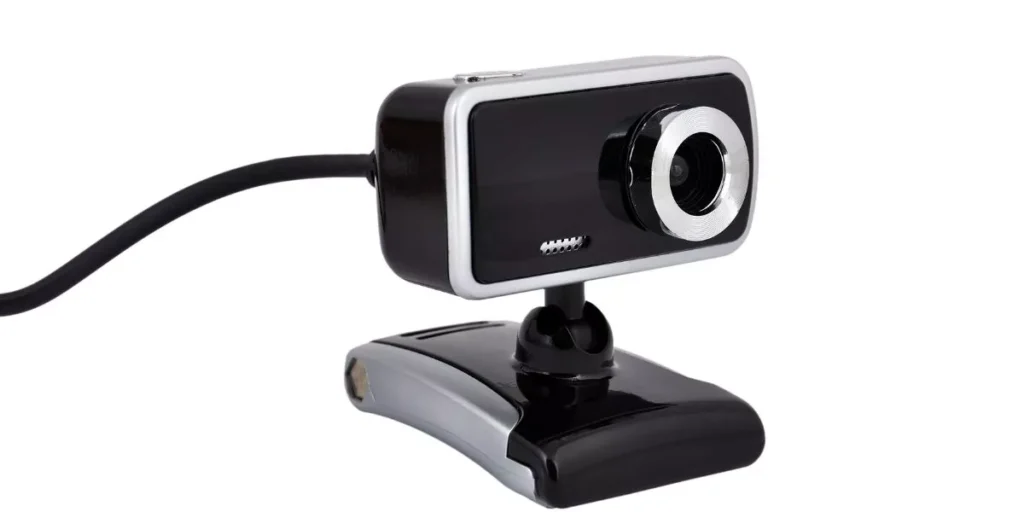
When it comes to video conferencing, crisp image quality can make a significant difference in your professional interactions. Imagine the clarity of every expression and detail – that’s where high-quality webcams come into play. From sharp 1080p resolution to advanced autofocus technology, the right webcam can transform your virtual presence. But what truly sets the exceptional webcams apart? Stay tuned to discover the key features and top recommendations that can take your video conferencing experience to the next level.
Top Features to Look For
When choosing a high-quality webcam for video conferencing, prioritize clarity and ease of use. Look for webcams that offer high-definition resolution, at least 1080p, to ensure clear and sharp video quality during your virtual meetings. A higher resolution will provide a more professional look and help you convey your message effectively. Consider webcams with autofocus capabilities to ensure that you stay in focus even if you move around during the call.
Another important feature to look for is a good built-in microphone. Clear audio is essential for effective communication, so opt for a webcam with noise-canceling technology to minimize background noise and echo. This will help ensure that your voice comes through loud and clear without distractions.
Additionally, choose a webcam that’s easy to set up and use. Look for plug-and-play options that require minimal installation and configuration. A user-friendly webcam will save you time and frustration, allowing you to focus on your meetings without technical difficulties.
Best Budget-Friendly Options
To find budget-friendly webcams suitable for video conferencing, consider exploring reliable brands known for their affordability and performance. Logitech, a trusted name in the webcam industry, offers the Logitech C270, a great option for those on a budget. With its 720p HD resolution and built-in microphone, this webcam provides clear video and sound quality for your virtual meetings without breaking the bank.
Another cost-effective choice is the Microsoft LifeCam HD-3000, known for its ease of use and decent video quality. It offers 720p HD video recording and a noise-reducing microphone, making it a reliable option for video conferencing at an affordable price point.
The Angetube Streaming 1080P HD Webcam is also worth considering for budget-conscious buyers. It provides full HD video quality, autofocus, and low-light correction, making it a solid option for clear video calls without spending a fortune.
These budget-friendly webcams are excellent choices for enhancing your video conferencing experience without sacrificing quality.
Professional-Grade Webcam Recommendations
For top-tier video conferencing quality, consider investing in professional-grade webcams renowned for their advanced features and exceptional performance. These high-end webcams are designed to deliver crystal-clear video and superior audio, making your virtual meetings more professional and engaging.
One highly recommended option is the Logitech Brio Ultra HD Pro Webcam, known for its 4K Ultra HD video quality and RightLight 3 technology for optimal brightness, contrast, and color. It also features HDR for a more vibrant and natural look, along with a 5X digital zoom for detailed close-ups.
Another top choice is the Razer Kiyo Streaming Webcam, popular among content creators for its built-in ring light that ensures consistent lighting in any environment. This webcam offers 1080p resolution at 30fps or 720p at 60fps, giving you smooth and high-quality video output.
Investing in a professional-grade webcam can significantly enhance your video conferencing experience, providing you with the clarity and reliability needed for effective communication in both professional and personal settings.
Tips for Optimizing Video Quality
Consider implementing these practical steps to enhance the video quality of your web conferences.
First, ensure that you have sufficient lighting in the room where you’ll be video conferencing. Natural light is ideal, but if that’s not possible, use artificial lighting sources positioned in front of you to avoid shadows on your face.
Next, adjust the webcam’s settings to achieve the best image quality. You can do this by accessing the webcam settings on your computer and making adjustments to the brightness, contrast, and color settings. It’s also important to position the webcam at eye level for a more flattering and professional look.
Additionally, make sure your internet connection is stable and fast to prevent lags or pixelated video.
Lastly, declutter your background to minimize distractions and help the focus stay on you during the video conference.
Trending Products